
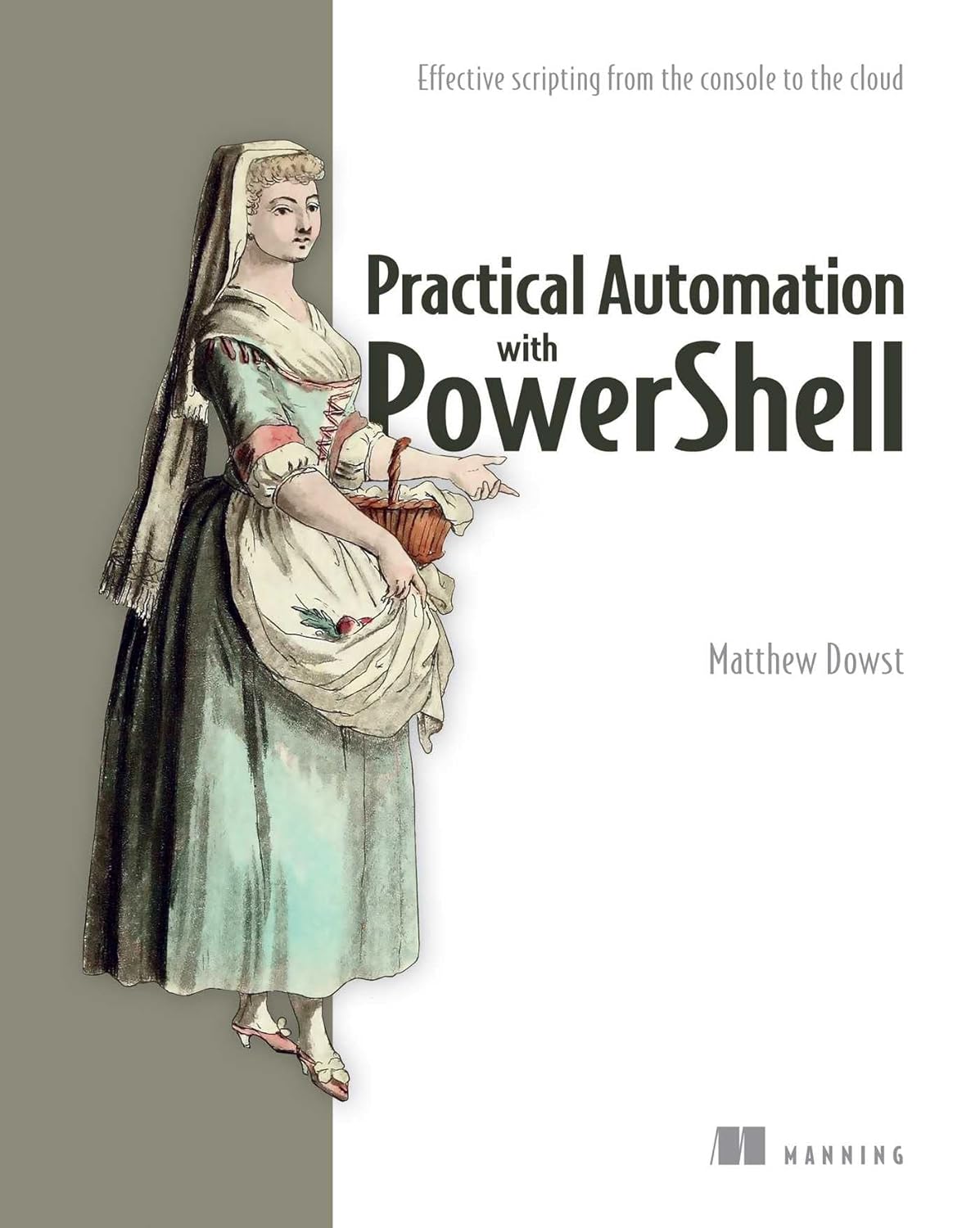
Practical Automation with PowerShell: Effective Scripts from…
Original price was: $59.99.$40.15Current price is: $40.15.
Description
Price: $59.99 - $40.15
(as of Oct 01, 2024 12:41:35 UTC – Details)

Take PowerShell beyond simple scripts and create automations that save time for your team, your users, and the world.
In Practical Automation with PowerShell you will learn how to:
Create PowerShell functions to automate common and complex tasks. Create intelligent automations that adapt to new challenges. Structure your code for sharing and reuse. Store and secure your automations. Run automations with Azure Automation, Jenkins, Task Scheduler, and Cron. Share your automations with your team and non-technical colleagues. Store and retrieve data, credentials, and variablesUse source control solutions to maintain and test code changesProvide UI solutions for PowerShell automations
Practical Automation in PowerShell reveals how you can use PowerShell to create automation solutions for a host of common management and DevOps tasks. Author Matthew Dowst uses his decades of experience to lay out a real-world plan for setting up an enterprise scripting environment with PowerShell. The book goes beyond the basics to show you how to handle unforeseen complexities that can prevent automations from becoming reusable and resilient. From the console to the cloud, you'll learn how to manage your code, avoid common mistakes, and create shareable automations that fit different use cases.
Purchase of the print book includes a free e-book in PDF, Kindle, and ePub formats from Manning Publications.
About technology
The PowerShell scripting language is a force multiplier that gives you programmatic control over your entire data center. With this powerful tool, you can create reusable automations that radically improve the consistency and productivity of your operations team. This book shows you how to design, write, organize, and deploy scripts to automate operations on systems of all sizes, from on-premises servers to enterprise cloud clusters.
About the book
Practical Automation with PowerShell: Creating Powerful Scripts from Console to Cloud shows you how to create PowerShell automations for on-premises and cloud systems. In it you'll find tips for identifying automatable tasks, techniques for structuring and managing scripts, and lots of well-explained example code. You'll even learn how to adapt existing scripts to new use cases and train non-technical users through easy-to-understand SharePoint interfaces.
What's inside?
Structure PowerShell code for sharing and reuse Store and secure your automations Run automation with Azure Automation, Jenkins, Task Scheduler, and CronStore and retrieve data, credentials, and variables Use source control solutions to maintain and test code changes
About the reader
For system administrators and IT professionals who manage backend systems.
About the author
Matthew Dowst has over 15 years of IT management and consulting experience.
table of Contents
PART 1
1 PowerShell automation
2 Start automating
PART 2
3 scheduling automation scripts
4 Handling of confidential data
5 Remote PowerShell Execution
6 Perform adaptive automations
7 Work with SQL
8 Cloud-based automation
9 Work outside of PowerShell
Ten Automation Coding Best Practices
PART 3
11 End User Scripts and Forms
12 Share scripts between a team
13 Testing your scripts
14 Maintain your code
From the editor


Do you want to do more in less time?
If you're an IT professional, the answer is probably yes. The best way to achieve that goal is through automation.
In Practical Automation with PowerShell, you'll learn how to write PowerShell scripts to create robust, efficient, and maintainable automations that will stand the test of time.
Best of all, you'll go beyond the how and why, making the concepts you learn applicable to any automation language or platform.
You'll learn how to… Create PowerShell scripts to automate common tasks Combine multiple scripts into reusable modules Automations across different platforms, including Azure Automation, Azure Functions, and Jenkins Store and retrieve variables, data, and credentials Avoid common coding mistakes when writing PowerShell for automation

Key lessons
What will you do with all that extra time? In Chapter 5, explore how to save countless hours with remote execution.
Like TNT for your code… in a good way! In Chapter 6, discover how to add muscle to your smart code by creating dynamic if/else statements on the fly.
Think outside the 'Shell'. In Chapter 9, you'll learn how to create a script to leverage resources outside of PowerShell.
Annoy your code now… so it doesn't break later. In Chapter 13, I delve into creating unit and integration tests with Pester, the popular PowerShell testing framework.

Power it up with PowerShell: James Petty's recommendations
Increase your productivity and automation skills.
James Petty is the Director of Information Technology at TextRequest, a four-time Microsoft MVP, and CEO of DevOps Collective INC and PowerShell.org, a nonprofit organization providing education on PowerShell, automation, and DevOps. He is co-author of Learn Power in a Month of Lunches and Learn Power Scripting in a Month of Lunches with Manning Publications.
Add to Cart Add to Cart Add to Cart Add to Cart James says… “This is the best-selling book on PowerShell ever written. It is a privilege to help continue the legacy that Don and Jeff started.” “A hands-on, hands-on way to develop PowerShell scripting skills. (I think it's awesome, but as an author, I'm biased.)” “Chrissy LeMaire invented DBATools to simplify database administration using PowerShell. This book is the definitive guide.” “Use PowerShell to efficiently manage Azure resources for cloud infrastructure and automation.”
Publisher : Manning (May 2, 2023)
Language : English
Softcover : 416 pages
ISBN-10 : 1617299553
ISBN-13 : 978-1617299551
Item Weight : 1.55 lbs
Dimensions: 7.38 x 1.3 x 9.25 inches
Related products
-
 Sale!
Sale!
StarTech.com 4-Port USB 3.0 Hub – USB Type A Hub with 1x USB…
Original price was: $43.99.$39.92Current price is: $39.92. Buy Now -
 Sale!
Sale!
Windows 10 for beginners
Original price was: $24.99.$14.88Current price is: $14.88. Buy Now -
C Programming (Developer Library)
$49.71 Buy Now -
Sale!

Windows 8 for Seniors for Dummies
Original price was: $24.99.$19.34Current price is: $19.34. Buy Now
Reviews
There are no reviews yet.